




Product
Featured




Harvest has changed the way it prices its product in 2026.
For businesses that have used Harvest for years, the change can make renewal costs harder to predict than they were under the previous per-seat model. Harvest's current paid plans start at $9 per seat per month for Teams and $14 per seat per month for Enterprise when billed annually, but those aren't necessarily the total cost of using the platform. Harvest also charges based on usage for additional invoices, projects, clients, and tasks.
Rather than asking simply how much Harvest costs, it helps to evaluate your expenses based on the actual shape and scale of your team. When considering your renewal, consider whether your organization requires simple time tracking or comprehensive job management software.
Harvest's pricing model has changed from the simpler per-seat structure many existing customers were familiar with.
Harvest is now structured around a base plan plus usage-based charges.
The current public pricing page lists:
On top of this, consider:
Variable overall expense: Total annual costs depend on actual usage, not just seat count.
The first step is to separate your Harvest bill into two parts:
This is the straightforward part.
For example, a 20-person team on the annual Teams plan would have a base subscription of:
20 × $9 × 12 = $2,160 per year
On Enterprise:
20 × $14 × 12 = $3,360 per year
Those numbers are before usage-based charges.
Harvest says additional invoices, projects, clients, and tasks are billed according to usage.
That means two companies with the same number of employees can have different total costs.
A small consultancy with 10 users and a handful of active projects doesn't necessarily use Harvest in the same way as a 10-person agency managing dozens of clients, projects, tasks, and invoices.
Your seat count is only one piece of the calculation.
Total Harvest cost = base subscription + applicable usage charges
Before your renewal, check:
The result is a much more realistic picture of what you'll actually spend.
This additional cost component is easy to overlook if you only focus on the headline per-seat rates.
Under Harvest's updated model, core seat fees grant access, while ongoing operational volume, such as additional invoices, projects, clients, and tasks, incurs variable usage fees.
For a growing agency or consultancy, these aren't exceptional activities—they are direct indicators of business expansion:
As your operational throughput increases, software expenses scale alongside it.
Consequently, accurately forecasting renewal costs requires analyzing your actual historical account activity, rather than relying solely on base seat tiers.
While a traditional per-seat model calculates fixed access:
"How many team members need access?"
A usage-based model ties total cost directly to production volume:
"How much operational throughput does our business generate within the platform?"
For low-volume accounts, the cost difference may be minimal.
For active, high-volume service providers, however, usage-based fees can significantly shift overall renewal economics.
A pricing update naturally prompts a key question: "Can we get the same functionality for less elsewhere?"
However, a far more strategic question to ask is: "Are we using software that actually fits our current business needs?"
The true cost of your software setup extends beyond Harvest's subscription price alone. If you rely on Harvest strictly for time tracking and invoicing, you likely use a patchwork of additional tools for:
On top of these tool subscriptions lies the highest hidden operational expense: the manual effort, spreadsheet reconciliations, and data handoffs required to tie everything together.
That is why reviewing your renewal is more than a simple budgeting exercise, it is an opportunity to streamline your entire operational workflow.
There isn't one answer for every company.
Harvest's current Teams plan includes time tracking, team reporting, invoicing and accounting integrations. Enterprise adds features including profitability reporting, timesheet approvals, custom reports, an activity log, SAML SSO and required notes for time entries.
If that's what your business needs, the decision may be relatively straightforward.
But service firms often need to answer questions that start before someone starts their timer.
For example:
Those are different questions from:
"How many hours did we track?"
And that's an important distinction when you're evaluating project software.
Tracking time records logged effort, but hours alone do not reveal a project's financial health or profitability.
Consider a project quoted at $50,000 with estimated costs of $30,000, targeting a $20,000 profit margin.
As work progresses and actual costs accumulate past budget thresholds, time tracking merely logs the expenditure after the fact.
True job management requires continuously measuring real-time costs against original estimates to safeguard your expected margins before profitability is eroded.
Before your next renewal, work through these steps.
Confirm whether you're on Teams or Enterprise and whether you're billed monthly or annually.
Include the people who actually need access to your Harvest account.
Don't look only at permanent employees if your business regularly works with contractors or freelancers.
For annual billing:
These are the current published starting rates.
Look at:
These can affect your total because Harvest applies usage-based charges to them.
Evaluate true overall spending by comparing legacy annual expenditure directly against total projected costs under the updated model, rather than relying solely on base rate adjustments.
Factor in external tools for project management, resource planning, job costing, or profitability. Your software budget extends beyond a single subscription, it's the cumulative cost of your entire workflow.
If your renewal is coming up, don't wait for the invoice to arrive before looking at your options.
Use this checklist.
☐ Confirm your renewal date
☐ Check your current plan
☐ Count your seats
☐ Review your projects and clients
☐ Review your invoice volume
☐ Check your task usage
☐ Calculate your expected base cost
☐ Review applicable usage charges
☐ Where are your quotes created?
☐ Where are project budgets tracked?
☐ Where do you see actual costs?
☐ How do you monitor project profitability?
☐ How do you manage WIP?
☐ Where do you plan staff capacity?
☐ How many systems do your teams use to manage one job?
☐ How much information has to be moved manually between them?
That last group can tell you something your renewal invoice can't.
Whether your software still matches the way your business operates.
A price increase alone doesn't automatically mean you need to move.
If Harvest still fits your workflow and the new cost works for your business, there's a perfectly practical reason to stay.
But if the renewal has prompted you to look at your entire setup, don't limit the comparison to:
Harvest vs another time tracker.
Ask:
If the answer is mostly:
"Track time and invoice clients"
Compare time-tracking platforms on price, usability, integrations, and reporting.
If the answer is:
"Win the work, price it accurately, schedule it, deliver it, track its costs, invoice it and understand whether we're making money."
You're looking at a different category of software.
That's where WorkflowMAX fits.
WorkflowMAX is designed around the economics of the job.
You can create quotes and estimates, convert accepted work into jobs, track time and costs against those jobs, manage WIP and invoicing, and use financial reporting to compare estimated and actual performance.
The Job Financial Summary, for example, brings together estimated cost, quoted value, actual cost, billable value and invoiced value. It can also show estimated and actual profit as the job progresses.
That creates a feedback loop:
What did we quote?
↓
What did we expect it to cost?
↓
What is it actually costing?
↓
What have we invoiced?
↓
What are we making?
And that information doesn't only help you understand the current job.
It can help you make better decisions about the next one.
If you consistently underestimate a particular type of project, your historical job data gives you something much more useful than a pile of tracked hours.
It gives you evidence to improve the next estimate.
If your Harvest renewal has made you reconsider your setup, switching doesn't have to mean starting from zero.
WorkflowMAX provides migration support and tools designed to help businesses move their existing data and workflows across. The platform also supports a range of integrations, including Xero and QuickBooks.
Before switching, map out:
Then identify what you want the new system to improve.
The goal shouldn't be to recreate your old workflow somewhere else.
It should be to build a workflow that makes more sense for the business you have now.
Harvest's 2026 pricing changes are a good reason to review what you spend.
Instead of just asking if Harvest got more expensive, ask whether your software gives you clear visibility into project profitability.
Every tracked hour, quote, and invoice affects your bottom line.
WorkflowMAX connects these parts so you can actively manage job performance rather than just track logged hours.
The most expensive tool isn't necessarily the one with the highest fee, it's the one that shows how much time you worked without showing if the job was profitable.
Explore WorkflowMAX or Start your free trial
.jpg)
Most discussions about using ChatGPT for accountants focus on a single firm: automating a report, summarising a transaction, drafting a client communication. That's a reasonable starting point, but it misses a more significant opportunity for accounting practices that support multiple professional services businesses.
When your practice manages WorkflowMAX on behalf of five, ten or fifteen client firms, you occupy an unusual position. You're not inside any of those businesses. You're across all of them. You see their job records, their billing cycles and their delivery patterns over time. You are, in an operational sense, the most informed person in the room when it comes to how those businesses actually perform.
The question is how much of what you could know you're currently able to act on.
Right now, the typical engagement between an accounting practice and a WorkflowMAX client follows a familiar pattern. You log in, you run a report, you review the numbers and you bring your observations to the next client meeting. That's a solid process. But it has a structural limitation.
You can only ask the questions that a pre-configured report is designed to answer.
You cannot easily ask: "Across all of my engineering clients, which ones are consistently billing less than they quote?" You cannot ask: "Which of my clients has the largest volume of uninvoiced time sitting in their active jobs right now?" You cannot ask: "Over the past six months, which client types show the highest ratio of actual hours to estimated hours across completed jobs?"
These are useful advisory questions. They're also questions that require you to hold data from multiple separate logins in your head simultaneously, or to build a manual compilation process that consumes time you don't have.
The data to answer them already exists. The constraint is access, not information.
The premise behind tools like ChatGPT and similar AI assistants is that a trained model can understand natural language questions and retrieve structured answers when connected to the right data source.
For accountants managing job management platforms, the relevant development is the Model Context Protocol (MCP): an approach that allows AI assistants to connect directly to structured operational data. When an AI tool has permissioned access to WorkflowMAX data via this kind of connection, the report is no longer the primary access point. The conversation is.
You can ask a question in plain language. The AI reads the live data. You get an answer drawn from actual job records, time entries and billing status rather than from a report that was accurate at the time it was generated.
This changes not just the speed of the answer, but the type of question it is possible to ask.
For this to be useful, it matters what the data layer actually consists of. A client's WorkflowMAX account is not simply a list of job names. The job management framework within the platform holds structured records that include job type, status, assigned staff, task breakdowns, quoted scope and delivery timelines.
Attached to each job is a time layer. Time tracking in WorkflowMAX records individual entries against specific tasks and jobs, which means the platform knows not just that a job took 40 hours, but which tasks those hours were spent on and who completed them. That granularity is what AI needs to produce a meaningful answer rather than a surface-level summary.
The financial layer adds further structure. Invoicing records show what has been billed, what billing method was applied and what the invoiced amount was relative to the job scope. Alongside this, reporting and dashboards already provide pre-built views across performance, time and billing.
Each of these data sets already exists inside the platform. An AI connection doesn't create new data. It creates a new way of interrogating data that is already there.
This is where the practical consequence becomes clear for an accounting practice.
Consider what a client review currently looks like. You arrive with a report, or you share one ahead of time. The client has often seen the same numbers. The conversation begins with what happened rather than what it means or what should change.
When AI can surface patterns across job records in real time, the preparation changes. You are not reading the same report the client has already opened. You are arriving with an observation the client has not yet made, because making it manually would take too long.
As an illustrative example: a client running an engineering consultancy has quoted consistently across a series of jobs over the past quarter. Their time tracking data shows actual hours running above estimated hours on one task type in particular. Their invoicing records show the billing has not reflected the overrun because the jobs were scoped at a fixed price. The gap exists. No single standard report has surfaced it clearly.
AI connected to the job data could surface that pattern without you needing to build a custom report or manually compare records across separate jobs. You arrive at the review with the observation rather than with a report to work through together.
That's a different kind of advisory value.
The scenario above only holds when the underlying data is structured, current and consistent. This is where the choice of job management platform becomes relevant.
WorkflowMAX's MCP connector allows AI assistants including ChatGPT, Claude, Gemini and Microsoft Copilot to connect directly to live job, client and time data in plain language. The connection operates at the platform level, meaning the data an AI assistant can access is the same structured data that powers the platform's own reporting layer.
For an accounting practice supporting multiple WorkflowMAX clients, this creates a practical foundation for the kind of cross-client interrogation described above. The data structure is consistent across clients. The AI connection is built into the platform. The questions are yours to ask.
The conversation about ChatGPT for accountants often settles on task automation: faster reconciliation, quicker summaries, less manual data entry. These are real benefits. But they describe the same role performed more efficiently.
The more significant shift is in the nature of the role itself. When structured data from multiple client firms is accessible to AI in real time, the accountant's value is no longer primarily in accessing that data. It's in knowing what to ask, interpreting what comes back and translating it into advice the client can act on.
That's a shift from reporter to analyst. It doesn't happen automatically. It requires the data to be structured, the AI connection to be in place and the accountant to have a clear sense of what questions matter for each client.
WorkflowMAX provides the data structure. The MCP connector provides the AI bridge. The questions are yours.
If your practice manages WorkflowMAX on behalf of multiple professional services firms, you already hold the data. Explore what WorkflowMAX's MCP connector makes possible, or start a free 14-day trial to see the platform's job and reporting layer for yourself.

TL;DR: For finance leaders at professional services firms, the month-end close is often the first clear look at what actually happened across active projects during the month. By then, unbilled revenue has aged, incomplete time entries have been missed and the window to act before the period closes has passed. This article examines why that visibility lag exists and what it takes to see the financial signals inside project data before they become month-end problems.
For many finance leaders at professional services firms, the month-end close serves two distinct functions. Its formal purpose is to reconcile accounts, finalise billing and report on performance. Its informal function is often quite different: it is the first clear look at what actually happened across the firm's active projects during the month.
That second function is the one worth examining.
When the close process is the primary moment at which unbilled revenue is identified, billing gaps become visible and incomplete time records are caught, the finance team is working with information that arrived too late to influence the month being closed. The decisions that could have changed the outcome have already been foreclosed.
This is not a failure of process. It reflects a structural problem that many project-based businesses encounter: project financial data exists inside the business, often in considerable detail, but that data does not automatically become financial insight early enough to act on.
Professional services firms generate project data continuously. Time is logged against jobs throughout the week. Costs are recorded as projects progress. Job status updates as work is completed and milestones are reached. Quotes are accepted, work begins and billing stages accumulate.
From a finance perspective, each of those data points is potentially meaningful. Together, they describe the current financial position of every active engagement: what has been delivered, what has been billed, what remains unbilled and where budgets are tracking.
The challenge is that project data and financial insight are not the same thing. Data sits in a project management platform or a timesheet system. Financial insight requires that data to be interpreted against billing position, budget position and the firm's revenue picture for the period. When the connection between the project layer and the finance layer only becomes visible during the close, the month's financial story is assembled retrospectively rather than tracked in progress.
Several specific financial signals tend to surface at month-end rather than earlier. Each one represents a point where project data existed but was not interpreted in a way that supported timely financial decisions.
Unbilled revenue accumulates when time and costs recorded against jobs have not yet been converted to invoices. At month-end, the volume across all active jobs can be substantial, particularly in firms where projects span multiple months or where invoicing is tied to project milestones rather than a regular billing cycle.
The problem is not that unbilled revenue exists. In project-based businesses, work in progress is part of the operating model. The problem is when the total unbilled revenue position is not visible until the close begins. By that point, some of it may be ageing, some may be waiting on internal project approval and some may relate to work the client has already received without being invoiced for it.
When time records are not complete, the financial picture at month-end is not accurate. Unbilled revenue may be understated because not all chargeable hours have been logged. Job budget positions may appear healthier than they are. Profitability calculations are built on an incomplete cost picture.
Time records that arrive after the billing cycle create additional reconciliation work and can push invoicing into the following month. The difficulty is not any individual late entry but the cumulative effect of incomplete records across multiple jobs and staff members, compounded across the billing period.
Budget positions on active jobs move as work progresses. Hours are logged, costs are incurred and the relationship between what was quoted and what is being consumed becomes clearer as each job develops. If that movement is only reviewed at month-end, a job that began to exceed its budget in the second week of the month has been running over for three weeks before the finance team sees it.
Earlier visibility into budget position allows for conversations with project leaders before the overrun is locked into the close.
The case for seeing project financial data before month-end is not about monitoring for its own sake. It is about the type of action that remains available when information arrives in time.
If a finance leader or practice manager can see the current unbilled revenue position across all active jobs mid-month, they can identify which jobs are ready to invoice and begin the process before the billing cycle closes. If incomplete time entries are visible while the month is still open, staff can be asked to complete them while the work is fresh. If a job is running over its budgeted hours, a conversation with the project team can happen before the overrun is confirmed.
None of those interventions are available once the close begins. Month-end is the record of what happened. The decisions that could have changed the record needed to be made while there was still time to make them.
The visibility gap described above tends to exist when project data and financial data sit in systems that do not connect in real time. WorkflowMAX holds both the project operational layer and the financial layer in one platform, which means the data required for financial insight is present in the same place as the project records that generated it.
The WIP management feature gives finance leaders and practice managers a view of uninvoiced time and costs across all active jobs. This is the unbilled revenue position as it currently stands, not at the point when the close process begins. Jobs that are ready for invoicing are visible, and billing can be initiated from within the same view.
Time tracking in WorkflowMAX records hours against specific jobs and tasks as they are logged, which means the time records that feed the WIP position are current. When time is complete and up to date, the unbilled revenue calculation reflects actual work delivered rather than an approximation.
Reporting and dashboards allow finance leaders to review performance, job budget position and billing status at any point in the month rather than only when a report is manually compiled at close. The reconciliation process can then confirm a picture that has been visible throughout the period.
For firms using Xero, the Xero integration means invoicing data flows from WorkflowMAX directly into the accounting ledger without double handling, reducing the reconciliation work involved in connecting project billing to the accounts.
When project financial data is visible throughout the month rather than only at period end, the function of the month-end close changes. Instead of being the moment at which finance discovers the true state of project performance, it becomes the moment at which that picture is confirmed and finalised.
The signals that currently surface as month-end surprises are present in the project data well before the close. Unbilled revenue, incomplete time records and budget pressure do not appear at month-end. They build during the month. The question is whether the structure of the business makes them visible early enough to act on.
WorkflowMAX connects project delivery data to the financial layer so that unbilled revenue, WIP position and billing status are visible throughout the month rather than only at close. Explore the WIP management and reporting features in more detail, or start a free 14-day trial to see how the platform supports month-end close for Australian professional services firms.
.jpg)
TL;DR: Creative agencies often complete work, send the invoice and move to the next project without knowing whether that job was actually profitable. Revenue confirms what the client was charged. It does not show what the project consumed. This article explains what a genuine project profitability analysis requires, why that information is harder to compile than it sounds, and how connecting time records, costs and billing data in a single job record makes the review possible.
The invoice went out. The client paid. By some measures, the project is finished. But one question remains open: did the project make money?
This is a different question from whether the project was billed. Revenue tells you the amount the agency charged. It says nothing about the time and costs required to deliver the work, whether the project ran to the original estimate or well beyond it, or what margin remained once all resources were accounted for.
An agency can bill a significant amount on a project and still perform poorly if the hours consumed to deliver it far exceeded the estimate. A fixed-fee project that takes twice the anticipated time may still be invoiced at the agreed amount, which means the revenue figure looks identical whether the project was well-managed or significantly over-resourced.
Without a structured project profitability analysis, the difference between those two outcomes is invisible.
Understanding whether a project was profitable requires comparing two things: what the agency expected the project to cost and earn, and what it actually cost and earned.
On the estimated side, the relevant information includes the original quoted scope, the budgeted hours for each role or task type, the agreed billing amount and the expected margin. This is the financial model the agency built before the project began.
On the actual side, the relevant information includes every hour logged against the job, the cost of those hours at the applicable rate, any additional expenses or costs incurred during delivery, any scope changes that were approved and billed as variations, and the total amount ultimately invoiced to the client.
The gap between those two data sets is where the profitability picture lives. If actual hours consumed significantly exceed the budgeted estimate on a fixed-fee engagement, the realized margin is lower than the planned margin even if the invoice matched the quote exactly. If a scope change was approved and billed correctly, the picture shifts again.
Each of these variables is knowable. The challenge is that they are often spread across separate systems or never fully captured in the first place, which is why the post-project review is hard to run even when the agency knows it should be done.
For a project profitability analysis to be meaningful, the underlying data needs to be complete and traceable. That requires three things to have happened during the project, not after it.
First, time needs to have been logged accurately and completely against the specific job. Hours that were not recorded, or that were recorded against the wrong job, create a gap in the cost picture that cannot be reconstructed accurately after the fact.
Second, scope changes need to have been documented and connected to the original quote. If additional work was approved verbally or by email but never formally captured as a variation, the profitability calculation treats the project as if it ran to the original scope, which may significantly understate the hours consumed relative to what was agreed.
Third, the original estimate needs to have been specific enough to serve as a meaningful baseline. A project budget set as a single lump-sum figure rather than broken down by task or role cannot easily be compared to actual hours logged at the task level. The comparison requires like-for-like data.
When these conditions have not been met during the project, the post-project analysis becomes a reconstruction rather than a review. And reconstruction produces approximations, not answers.
A WIP report is typically associated with identifying uninvoiced work, and that is a legitimate use of it. But the underlying data a WIP report draws on, specifically the relationship between time logged, costs incurred and amounts billed, is also the foundation of a project profitability analysis.
When a WIP report shows the hours logged against a job alongside the invoiced amount, it makes visible the relationship between the work performed and the revenue collected. For a completed project, that relationship is the starting point for understanding whether the job performed as expected.
In WorkflowMAX, WIP management gives operations leaders and finance teams a view of work and costs across jobs. For projects that have already been fully invoiced, the reporting layer provides the post-project review. The reporting and dashboards feature includes a job financial summary report that shows time summary, staff efficiency and non-billable time across the full job, giving a complete picture of what the project consumed against what was billed.
A profitability analysis without a baseline is not an analysis. It is a summary of what happened without a reference point for whether what happened was good or bad.
The original project estimate is that reference point. When estimating and quoting in WorkflowMAX the quoted scope, hours and pricing at the start of a job, those figures become the financial model the project is measured against. The time and costs recorded through time tracking as the project progresses accumulate against the same job record that holds the original estimate.
That connection between the estimate and the actuals, in the same platform rather than across two separate documents, is what makes a genuine post-project profitability review possible. The comparison does not need to be reconstructed from a quote document and a timesheet export. The data is already in the same place.
When job management in WorkflowMAX tracks the project through delivery, the job overview shows gross margin and job profitability as work progresses rather than only at completion. The post-project review then confirms a picture that was available throughout delivery rather than revealing it for the first time after the invoice has been paid.
The purpose of knowing whether a project was profitable is not simply to record the outcome. It is to use that information to make better decisions on the next similar engagement.
An agency that runs a project profitability analysis consistently across completed jobs can begin to identify patterns. Certain project types may consistently run over on estimated hours. Certain client types may require more revision cycles than the original quote accounts for. Certain team configurations may produce a different cost structure than the estimate assumed.
None of these patterns visible from revenue figures alone. They become visible when completed projects are reviewed against the estimates that defined them, using time records that are accurate and costs that have been correctly attributed.
That is not a reporting exercise for its own sake. It is the operating information an agency needs to quote more accurately, staff projects more efficiently and understand which types of work the business performs most profitably.
WorkflowMAX connects the original job estimate to time records, costs and billing in one platform, making post-project profitability review a structured process rather than a manual reconstruction. Explore reporting and dashboards and job management to see how the job financial summary supports profitability analysis, or start a free 14-day trial to run the review across your own completed projects.
.jpg)
TL;DR: In project-based professional services firms, there is often a gap between when work is completed and when the corresponding invoice is sent. That gap has a real cost: delayed cash flow, an invisible financial position and the operational difficulty of billing for work the client may have already stopped thinking about. This article explains how work in progress accounting provides the framework for tracking delivered but unbilled value, what a WIP report can help a firm review and how to reduce the gap between project completion and billing.
The work is finished. The client has received the deliverables. For an architecture practice, the drawings have been issued. For an agency, the campaign has gone live. For a consultancy, the report has been handed over.
But the invoice hasn't been sent.
This gap between project completion and billing is one of the more costly conditions in professional services, not because it is caused by negligence but because it tends to be structural. The process that finishes a project and the process that sends an invoice are often separate events involving different people, different systems and different timelines. In the space between them, value the firm has already created and delivered is sitting uncollected.
The cost of that gap is not always visible until it accumulates.
In time-and-materials billing, the invoice typically follows a billing cycle rather than project completion. In fixed-fee or milestone-based arrangements, the invoice follows a milestone event or sign-off that may happen days or weeks after the underlying work is done.
In both cases, there is no automatic mechanism that converts completed work into a billing event. Someone has to review what has been delivered, confirm that time records are complete, check the billing terms and prepare the invoice. If any of those steps is unclear, delayed or dependent on a person who is already on to the next project, the invoice waits.
For a firm running multiple concurrent jobs, this can mean that at any given point, several completed or partially completed projects are sitting in a billing backlog that no one has a clear view of. The work has been done. The revenue has not been recognised.
The most immediate cost is cash flow. A client cannot pay an invoice that has not been sent. Work that is delivered but not billed represents value the firm has created and is effectively financing on the client's behalf, without a payment date on the horizon.
The second cost is financial visibility. When a firm's true revenue position depends on invoices being raised promptly after project completion, a billing backlog creates a distorted financial picture. Income may appear lower than the firm has actually earned, and decisions about spending, hiring or accepting new work are made against an inaccurate read of where the business stands.
The third cost is more subtle but equally real. The longer the gap between completing a project and sending the invoice, the more difficult that invoice becomes to raise. The client has moved on. The detailed work is no longer front of mind. Queries about the invoice, if they arise, require the firm to reconstruct a record of what was done and why. An invoice raised promptly after completion is easier to support, easier for the client to accept and more likely to be paid without unnecessary delay.
Work in progress accounting is the framework used to track the value of work that has been delivered but not yet invoiced. In professional services, work in progress, or WIP, represents the accumulated value of completed or partially completed project work that sits between delivery and billing.
Understanding the firm's WIP position at any point gives finance leaders and practice managers a clearer picture of the business's actual financial state. It separates the question of how much the firm has earned from the question of how much has been invoiced, and it identifies the gap between the two.
Without a systematic way to review WIP, that gap remains invisible. Individual project managers may know roughly where their jobs sit, but the aggregate position across the firm is unclear. Work in progress accounting makes the gap measurable rather than estimated.
A WIP report gives a firm a structured view of completed or partially completed work across all active jobs. It identifies which jobs contain billable work that has not yet been invoiced, what has already been billed against each job and what still needs attention before an invoice can be prepared.
In practical terms, a WIP report helps answer a set of questions that are otherwise difficult to compile: which jobs have time and costs recorded against them that have not been converted to an invoice? Are the time entries on those jobs complete, or are there outstanding records that need to be submitted before billing can proceed? What is the total value of uninvoiced work across the firm right now?
These are not questions that should be reserved for the month-end. They are questions a practice manager or finance leader should be able to answer at any point in the billing cycle. A WIP report is the tool that makes those answers available without requiring someone to review every active job individually.
WorkflowMAX brings the project layer and the billing layer into the same platform, which is the structural condition that makes it possible to close the gap between completion and invoicing.
WIP management in WorkflowMAX gives finance leaders and practice managers a view of all uninvoiced work and costs across active jobs. The WIP position is visible from within the platform rather than assembled manually from separate records. Invoices can be created directly from the WIP view, which means the step between reviewing what is billable and generating the invoice does not require switching systems or re-entering data.
The accuracy of that WIP position depends on time records being current. Time tracking in WorkflowMAX captures hours against specific jobs and tasks as they are logged. When time entries are complete and up to date, the uninvoiced work visible in the WIP view reflects actual project activity rather than an approximation. When entries are outstanding, the WIP picture is incomplete, which is itself a useful signal that billing is not yet ready to proceed.
Invoicing in WorkflowMAX connects the billing document to the job record, the time entries and the agreed billing terms. The invoice reflects what was delivered rather than requiring the billing team to reconstruct that record from emails and separate documents at the point of billing.
Together, these capabilities do not eliminate the gap between project completion and invoicing entirely. They make that gap visible and reduce the steps required to close it.
There is a version of this problem that looks like a cash flow issue, a staffing issue or a process issue. It is often all three. But the underlying condition is simpler: work that has been completed has not been invoiced, and no one has a clear view of how much value that represents across the firm.
Reducing that gap begins with being able to see it. Work in progress accounting provides the framework. A WIP report provides the view. And the billing event that needs to happen can be triggered once the picture is clear, rather than reconstructed at month-end from records that have grown harder to interpret.
WorkflowMAX's WIP management gives Australian professional services firms a live view of uninvoiced work across every active job. Explore how it connects to time tracking and invoicing, or start a free 14-day trial to see the platform's WIP and billing layer in full.
.jpg)
TL;DR: A firm of 20 people is large enough that not everyone can see everything, but small enough that good processes can still be built deliberately before complexity forces it. This article describes what a well-run professional services firm at this scale actually looks like in practice: what leaders, project managers, finance staff and delivery teams can see and do when the operating model is working.
There is a specific test that a firm at this size should be able to pass. An owner or operations leader should be able to answer the following questions without calling a meeting, pulling data from three different systems, or waiting until the end of the month:
Which projects are currently active, and where does each one sit against its budget?
Who is at capacity this week, and who has room to take on more work?
What is the total value of unbilled work across the firm right now?
Which of this month's invoices have been issued and which are still pending?
In a well-run firm, these are not exceptional questions that require preparation. They are questions the operating system answers as a matter of course.
Professional services operations at this scale work when information about projects, people, time and billing is connected rather than distributed across separate tools and individual memory. That connection is the condition this article is describing.
In a well-run firm, principals and owners have a current view of the business without having to compile it themselves. They can see which projects are in flight, which are approaching completion and which are at risk of running over budget. They can see the pipeline alongside the active workload. They can identify whether the firm has capacity to take on a new engagement without asking each project manager individually.
This visibility is not about monitoring. It is about the ability to make decisions on current information rather than impressions. When an operations leader can see the firm's capacity picture clearly, they can make a hiring decision before the team reaches its limit rather than after. They can commit to a new client with confidence rather than approximation.
The condition that makes this possible is that project, financial and capacity data all exist in the same place, updated as work happens, not assembled on request.
In a well-run 20-person firm, project management for professional services works when the person responsible for delivering a job has a clear view of three things at any moment: what the job requires, what has been done and where the budget stands.
A project manager in a well-run firm can see the tasks assigned to their project, the hours logged against them and the remaining budget without running a report. They can see who on their team is logging time to the job and identify when actual hours are beginning to outpace the estimate early enough to respond. If scope changes, they have a process for documenting and pricing the variation before delivery continues rather than after the invoice has been raised.
This matters at 20 people because project managers are often delivering their own work while managing others. They do not have time to manually compile status information. If the operating model requires them to do so, it will not happen consistently, and the firm's picture of its own project work will drift from reality.
In a well-run firm, the finance function is not discovering the true state of the business during the month-end close. The close confirms what has already been visible. Invoicing happens in connection with project milestones and time records rather than as a separate process of reconstruction at the end of the billing period.
The finance leader or practice manager can see the current value of unbilled work across all active jobs without exporting data and building a spreadsheet. They can see which jobs are ready to invoice and begin the process before the billing cycle closes. When time records are current and connected to job records, the financial picture is current too.
This does not mean finance is always ahead of every development. It means the gap between project activity and financial visibility is measured in hours rather than weeks, and that the month-end process is a confirmation of a picture that has been visible rather than a revelation.
In a well-run firm, the people doing the work know what they are supposed to be working on, who is responsible for each task and where their time should be logged. This sounds straightforward. At 20 people, when multiple projects are running simultaneously and staff members are often assigned across more than one engagement, it becomes a genuine operational challenge.
In a well-run firm, an employee starting their day can see the tasks assigned to them, the jobs they are contributing to and a clear mechanism for recording their time against those tasks. They are not chasing information about what to work on or guessing which job code a particular activity belongs to. When their time records are accurate and current, the project manager's view of the job is accurate. When the project manager's view is accurate, the financial picture is accurate.
This chain of visibility depends on every stage being connected. When time records live somewhere separate from job records, and job records live somewhere separate from billing, the chain breaks and someone has to manually repair it before any useful picture is available.
WorkflowMAX is built around the connection between the commercial stage of a job and the delivery stage, which is the core requirement for professional services operations at this scale.
Estimating and quoting establishes the financial terms of each engagement at the start of the job, and those terms become the reference point for delivery. Job management holds the task structure, team assignment and job status in the same platform, so the project picture is current without requiring manual assembly.
Time tracking records hours against specific jobs and tasks as they are logged, keeping the time layer connected to the job layer in real time. Capacity planning gives leadership a view of staff availability and workload across the team, which supports resourcing decisions that a growing firm needs to make without relying on informal check-ins.
Reporting and dashboards pull the financial and project performance picture together in a form available throughout the month rather than assembled at close. When invoicing is connected to the same job record that holds the quote, the time records and the project scope, billing reflects what was agreed and what was delivered without reconstruction.
These are not every capability in the platform. They are the specific ones that support the observable operating conditions described above, for a firm at the scale where those conditions still need to be built with intention.
Firms at 20 people are at a particular stage of development. They are large enough that the founder or principal can no longer hold the full operational picture in their head. They are small enough that processes can still be designed rather than inherited from whoever happened to set up each system first.
The operating model that works at this size, with clear project visibility, connected financial data and consistent time records, is easier to build now than after the team has grown further into whatever unclear processes currently exist. The goal is not to add more process for its own sake. It is to ensure that the work already happening in the business is captured in a way that remains visible and useful as the firm grows into its next stage.
WorkflowMAX connects the project, time and financial layers that define professional services operations at this scale. Explore job management, capacity planning and reporting and dashboards to see how the operating model holds together, or start a free 14-day trial to map the platform against your firm's current processes.
.jpg)
TL;DR: Most professional services firms do not have a clean answer to this question. Tools accumulate gradually across the lifecycle of a client job: a quoting document here, a scheduling spreadsheet there, time records in one system and invoices going out through another. This article walks through the full lifecycle of a typical job to count the tools and handoffs involved, and asks whether each one is solving a genuine operational need or compensating for a gap that a connected system would close.
Take a typical Australian professional services firm: a mid-sized engineering consultancy, a design studio or an accounting practice with ten to thirty staff. The partners use Xero for their accounts. They have some form of job management system, or a combination of spreadsheets that serves the same purpose. They track time somewhere. They invoice through Xero or a template attached to it.
On paper, that sounds like a manageable set of tools. In practice, the count is higher.
Before a client job begins, there is usually a pipeline to manage. An enquiry arrives by email. Someone tracks it in a spreadsheet, a CRM, or a shared document. A proposal or quote is built, likely in a Word template or a standalone quoting tool, and sent as a PDF. The client accepts, possibly via email, possibly by signing something. Someone then manually translates the accepted quote into the job management system: job created, budget entered, team assigned.
That sequence, covering only the period before any billable work begins, can involve four or five separate tools and at least two manual data transfers. The information about what was quoted, what was agreed and what the job budget should be exists somewhere. But it lives in documents and emails rather than in a connected system, which means the next person who needs it has to go looking for it.
Once delivery begins, the tool count continues to grow.
Work is scheduled, which may involve a calendar, a scheduling tool or a spreadsheet. Staff track their time, which may happen in a dedicated time-tracking application, a timesheet spreadsheet, or a daily log that someone collects and enters at the end of the week. Documents and deliverables are stored somewhere, usually a shared drive, and versions multiply across email threads and folders that are named with increasing desperation.
Job status is communicated in meetings, status updates by email or a project management tool that may or may not be the same as the job management system. If a scope change occurs, it is captured in an email chain or a change-request document that lives separately from the original quote. If a client requests something outside the agreed scope, the team often absorbs it rather than raise a variation, partly because raising one requires updating documents across multiple systems.
By mid-project, the business has produced a collection of information spread across tools that do not talk to each other: the original quote in one place, the current job status in another, time records in a third, scope change correspondence in email and job notes in whatever system the team actually uses day to day. The information exists. Assembling it into a coherent picture requires someone to do it manually.
The end of a project, or the end of a billing cycle, is when the fragmentation becomes most visible.
Someone needs to pull together the time records and compare them to the original budget. Someone checks the quote to see what was agreed and at what price. If there were scope changes, someone locates the email thread or change-request document and works out what was approved for additional billing. The invoice is built in Xero using information drawn from several of those sources, entered manually.
This is the moment where the concept of quote to invoice software becomes concrete, not as a category label but as a description of what the process actually needs: a direct connection between the commercial agreement at the start of the job and the billing document at the end, with everything in between captured in the same system.
When that connection does not exist, billing depends on someone correctly translating information across tools. When the transfer is accurate, the invoice reflects the job. When it is not, revenue leaks out quietly with no obvious error visible on the invoice itself.
Here is the question worth putting to every item on the list: is this tool solving a distinct operational need, or is it filling a gap created by a tool somewhere else in the chain?
A spreadsheet that tracks job status often exists because the quoting tool does not connect to the delivery phase. A separate time-tracking application often exists because the job management platform does not capture time at the task level. A manual process for compiling hours at invoice time often exists because no single system holds both the approved scope and the time records in the same place.
This is the pattern of operational fragmentation. Each tool looks like a solution. Together, they create a chain of handoffs where information has to move from one system to another by human effort rather than by design. Each handoff is a point where information can be lost, delayed, entered incorrectly or simply not transferred at all.
The firm does not add tools because it wants more tools. It adds them because each one, in isolation, solves an immediate problem. The problem is that solving immediate problems with additional tools does not reduce the number of handoffs. It increases them.
The argument for consolidating across the job lifecycle is not primarily about software subscriptions or licence costs. It is about the handoffs. Every time information moves between systems manually, someone is doing work that does not contribute to a client deliverable, and the risk of that information arriving incorrectly or late is real.
WorkflowMAX is built to cover the full lifecycle of a client job without requiring information to leave the platform between stages. Estimating and quoting handles the commercial stage: building, sending and receiving approval on quotes. When a quote is accepted, that agreement becomes the financial reference point for the job inside the same system. Job management tracks delivery against that reference point. Time tracking captures hours against specific tasks and jobs as work progresses, so the time records that feed billing are connected to the job record that defines the scope.
When the project reaches invoicing, the billing document is built from information that has lived in the same platform since the quote was accepted. For firms using Xero, the Xero integration means invoice data flows directly into the accounting ledger without re-entry, which removes a manual step from a part of the process that already has too many of them.
That is not a complete answer to the question in the title. Running a firm still requires accounting software, a way to communicate with clients and tools for producing the work itself. What it should not require is a separate system for every stage of the job, each one holding a piece of information that has to be manually transferred to the next.
The question worth asking is not how many tools your firm uses. It is how many of them exist because the others do not connect.
WorkflowMAX covers the job lifecycle from first quote to final invoice in one connected platform. Explore estimating and quoting, job management and invoicing to see how the stages connect, or start a free 14-day trial to map your own workflow against what the platform can consolidate.
.jpg)
TL;DR: Scope creep is often framed as a project management problem: too much work, client expectations expanding beyond the original brief, delivery under pressure. The billing consequence of scope creep is a separate problem that receives less attention. Work is delivered beyond the agreed scope, but the invoice reflects the original agreement rather than what was actually done. This article examines how that gap develops, where the connection between scope changes and billing tends to break, and what a firm needs in place to recover the work it is currently leaving off the invoice.
When a professional services firm suspects it is consistently undercharging, the usual instinct is to look at the invoice and ask whether the numbers are right. The numbers on the invoice are often accurate relative to what was quoted. That is precisely the problem.
Revenue leakage from scope creep does not show up as an error on the invoice. It shows up as a gap between what was quoted, what was delivered and what was billed. The invoice correctly reflects the original agreement. It does not reflect the expanded work the team actually completed.
That gap is where the lost revenue sits.
This is a structural problem rather than an accounting one. It does not arise from incorrect billing. It arises from a process that allows scope to change during delivery while the billing reference point remains anchored to what was originally agreed. Correcting individual invoices does not fix it. Closing the process gap does.
Scope creep rarely arrives as a single identifiable event. It builds in increments small enough that each individual change seems reasonable to absorb.
A client requests an additional revision round after the original allowance is exhausted. A deliverable expands beyond the original specification because the project team wants to do thorough work. A stakeholder requests a supplementary report that was not part of the original brief. An extra meeting is scheduled and attended. A design is revised following client feedback that exceeds the agreed number of review cycles.
Each of these is a small extension. In the context of the client relationship and the work in progress, they feel like part of normal service. The team accommodates them because doing so is easier and faster than stopping the project to raise a formal change request.
The accumulation is what matters. Across a project of any meaningful duration, a series of individually minor extensions can represent a significant volume of additional hours. When those hours are never connected to a formal scope change, they are delivered without any mechanism for billing them.
The gap between expanded scope and invoiced work tends to open at three specific points.
The first failure point is when a scope change occurs and is absorbed into the project without any record being created. The team completes the additional work. The client receives it. No note is made that the work fell outside the original scope. When the project moves to invoicing, the additional work is indistinguishable from what was originally agreed.
Documentation does not need to be a formal legal process. It does require that something is captured at the time the change occurs: what was requested, by whom, and what additional effort it represents. Without that record, the change cannot be priced, approved or billed.
The second failure point is when a scope change is recognized but delivery begins before the change is formally approved. The team understands that additional work is being done. The client may have requested it verbally or by email. But no formal acknowledgment of the additional cost has been secured.
When invoicing time arrives, the team is reluctant to charge for work the client did not explicitly agree to pay for in writing. The invoice is reduced to avoid a dispute, or the additional work is absorbed entirely. The revenue leakage is a direct consequence of delivering before approving.
The third failure point occurs at the moment of billing. Even when additional work has been recorded and informally approved, the invoice is generated with reference to the original quoted scope. If the system used to produce invoices does not connect the billing document to a record of approved scope changes, the invoice defaults to the original agreement.
The additional work may be visible in time records. It is not visible in the invoice. The gap closes in the wrong direction.
Billing in professional services requires a reference point: what was agreed, what was delivered and at what price. For most firms, that reference point is the original quote or proposal. It is the document that set the engagement's financial terms.
When scope changes are not formally connected to that reference point during the project, the original quote remains the billing baseline even when the delivered work has extended well beyond it. The invoice is not wrong in the sense of containing a calculation error. It is wrong in the sense of being anchored to an agreement that no longer reflects what the project became.
Recovering the revenue lost to scope creep requires updating the reference point when scope changes occur, not when the invoice is raised.
WorkflowMAX provides the structural connection between scope, delivery and billing that prevents revenue leakage from accumulating undetected through the life of a project.
The engagement begins with a quote. Estimating and quoting in WorkflowMAX allows firms to build detailed, professional quotes that specify the scope of work, time budgets and pricing. That quote becomes the financial reference point for the job once it is accepted.
When scope changes occur after acceptance, quote variations allow the firm to add, adjust or remove items on the accepted quote while maintaining a clear record of what changed and why. The net impact on the job budget is visible before anything is sent to the client, which means additional work can be priced, presented for approval and formally documented before delivery begins rather than after.
Time tracking captures hours against specific tasks and jobs as work is performed. The hours logged against additional scope sit in the same system as the hours logged against the original agreement. When the project reaches invoicing, the billing document can reflect actual time and costs, approved scope or a combination, depending on how the engagement is structured. The connection between what was approved and what was billed is traceable rather than reconstructed from memory.
If your firm already suspects it is undercharging, the instinct is worth taking seriously. Confirming it requires a comparison: what was quoted on a given project, what was actually logged against it in time records, what scope changes were formally approved and what was finally invoiced. When those data points are connected in the same platform, the analysis is straightforward. When scope changes were never documented or when time records and invoices live in separate systems, the gap cannot be measured because the record that would reveal it was never created.
Revenue leakage from scope creep is not a billing error that can be corrected after the invoice is sent. It is a process gap that opens the moment a scope change is absorbed without documentation and closes, if it closes at all, only when the next engagement is managed differently.
WorkflowMAX connects the quote, scope change, time records and invoice in one platform so that additional work is documented and recoverable rather than silently absorbed into delivery. Explore quote variations and estimating and quoting to see how the process works, or start a free 14-day trial to see the full platform in action.

TL;DR: Architecture firms managing multiple active projects typically run some version of a recurring status report: a compiled document or standing meeting that gives the team a shared view of where everything stands. This article explores what changes when that ritual is replaced by AI that can answer specific questions about live project data on demand, and why the shift matters less for efficiency than for the quality of question a project leader can ask.
In architecture practices managing multiple active projects, some version of a Monday morning report tends to exist. It might be a shared document compiled by a project administrator, a standing team meeting where project leaders run through status updates, or a dashboard screenshot sent to principals before the week begins.
The ritual persists because it solves a real problem. When a practice is running concurrent projects across different phases, disciplines and client relationships, there is a genuine need for a shared, synchronized view of where everything stands. Without it, project leaders make decisions on incomplete or misaligned information.
The report, in whatever form it takes, answers a consistent set of questions: which projects are tracking to budget, which are behind schedule, who is overallocated, what milestones are due this week and where things are at risk. These are the right questions. The issue is not whether to ask them but when and how.
The problem with a Monday report is not its existence but its frequency. The report answers questions about project status at a fixed point in time, using data that was current when it was compiled. By the time the team reads it, some of it has already shifted.
A client conversation late in the previous week might have changed a project scope. A staff member logged more hours than expected. A milestone slipped. A subconsultant revised their fee estimate. None of these developments are reflected in a report assembled Friday afternoon.
More significantly, the Monday report constrains the type of question a project leader can ask. Reports are structured in advance. The questions they answer are the questions someone anticipated would be worth asking when the report was designed. That structure is useful, but it means the report cannot answer a question that was not anticipated.
If a project director walks out of a Tuesday client meeting needing to know the current budget position on a specific phase across two concurrent projects, the Monday report does not help. The answer requires someone to pull fresh data, build a view and get back to them. That takes time that project work often cannot wait for.
The phrase "ChatGPT for project management" tends to suggest text generation: automatically written reports, formatted status summaries, AI-drafted meeting notes. Those are real applications, but they are not the shift this article is about.
The more fundamental change is in the direction of information flow. When an AI assistant is connected to live project data through a protocol that allows it to query structured records in real time, the flow reverses. Instead of a report being compiled and then read, a question is asked and the data answers it.
In practice, this looks like a project leader typing a question into an AI interface rather than opening a report. The question can be specific, contextual and timely. Not "give me the weekly status update" but "how many hours have been logged against the schematic design phase on the downtown mixed-use project, and where does that sit relative to the budgeted hours?" Or: "Which of our active jobs currently have more than 20% of their budgeted time remaining but are due for invoicing this month?"
These are not report-style questions. They are operational questions that arise in the middle of a project, not at the beginning of a week.
Architecture projects generate a specific category of operational question that periodic reports handle poorly. Projects move through distinct phases, each with its own fee structure, team allocation and deliverable set. Budget burn varies by phase. A project tracking well overall might be significantly over on one phase and under on another.
Project leaders working this way need to ask questions that cut across phase, job and staff simultaneously. In an illustrative scenario, a principal at an architecture firm might need to know, on a Thursday afternoon, which projects are currently in construction administration and how much time has been logged this week by each staff member assigned to those jobs. That is not a question a Monday report answers. It is a question that arises from a specific operational trigger and needs a current answer.
Active project data in a job management platform contains the raw material for that answer: job status, time entries logged by staff against specific tasks, phase breakdowns and budget position. The question is how quickly and directly that data can be accessed when the situation calls for it.
WorkflowMAX structures project data in a way that makes this kind of direct interrogation possible. The job management layer holds records for each active project, including job type, phase structure, task assignments and current status. Time tracking captures granular records of hours logged against specific tasks and jobs, so the platform knows not just the project total but the breakdown by task and staff member.
The reporting and dashboards layer provides structured access to that data through pre-built and customizable reports. That is the foundation a typical Monday morning report is built from.
The shift described in this article is enabled by WorkflowMAX's MCP connector, which allows AI assistants including ChatGPT, Claude, Gemini and Microsoft Copilot to connect directly to live job, client and time data. The connection operates through the Model Context Protocol, meaning the AI can read the current state of project data and answer questions in plain language without a report needing to be generated first.
For an architecture firm with multiple active projects, this means a project leader can ask a specific operational question at the moment it arises rather than waiting for the next scheduled report cycle or asking a team member to pull fresh data manually.
The goal here is not to eliminate the Monday ritual. A shared weekly cadence has its own value: alignment, prioritization, communication between project teams. Those purposes do not disappear when AI can answer operational questions on demand.
What changes is what the meeting needs to accomplish. If team members can check the current status of a project before the meeting rather than discovering it during the meeting, the conversation shifts from information transfer to decision-making. The meeting stops being the moment when people learn where things stand and starts being the moment when they decide what to do about it.
The standing report that used to take significant time to compile and review can be replaced by a set of targeted questions asked directly against live data in the hours before the meeting. The same underlying need for project visibility is met, with a tighter lag between the question and the answer.
That is the operational change ChatGPT for project management actually represents in an architecture context. Not a productivity shortcut, but a different relationship between the question and the data it needs.
WorkflowMAX structures the job, time and phase data that makes this kind of AI-driven visibility possible. To see how the platform's MCP connector works alongside the core job management and reporting features,start a free 14-day trial or explore what WorkflowMAX offers across the full feature set.
.jpg)
TL;DR
Fragmented practice stacks do not just create admin work, they make an entire category of cost unmeasurable, because the hours spent moving data between systems belong to no client and therefore appear nowhere. Consolidating onto a single workflow management platform is worth evaluating on that basis rather than on licence savings. This guide covers the four seams where practice stacks typically break, what each one costs in ways your current reporting cannot show, and what to test before consolidating.
A practice stack assembled over several years tends to look reasonable when described. Time recording in one place, practice management in another, document storage somewhere else, the ledger in a fourth, and a spreadsheet holding whatever none of them handle.
Each tool was chosen sensibly. Each does its job. The difficulty is not with any of them individually.
It is that the work of moving information between them belongs to nobody. Somebody exports timesheets and reformats them for billing. Somebody re-keys a client's details into the third system that needs them. Somebody reconciles two reports that should agree and do not, then works out which is wrong.
That work is real, it consumes senior time disproportionately, and it is invisible in your reporting for a specific reason. It cannot be attributed to a client, so it is not on a job. It is not an expense, so it is not in the ledger. It exists only as a reduction in the hours available for chargeable work, which shows up as a utilization figure nobody can fully explain.
This is why licence consolidation is the wrong frame for the evaluation. The savings on subscriptions is real and small. The cost sitting in the seams is larger and unmeasured.
Practice stacks tend to break in the same four places. Each is worth assessing separately, because the cost profile differs.
The most expensive seam in most practices, because it runs at high volume and involves people whose hours are worth the most.
Where time is recorded in one system and invoices are raised in another, someone bridges the two every cycle. They export, filter, check for entries against the wrong client, apply the right rates, and assemble the bill. If the practice runs a mix of fixed fees, time and materials, and retainers, the bridging is different for each.
The cost is not only the hours. It is that the interval between recording and billing introduces a reconciliation step, and reconciliation performed under month-end pressure is where legitimate billable work gets dropped.
Time tracking offers eight recording methods, which matters at the capture end because a method that does not suit how someone works produces late entries. Invoicing then raises invoices on progress amounts, actual time and costs, quoted time and costs, or percentage of value, with batch invoicing across multiple jobs in a single workflow.
The evaluation question is not whether a platform can do both. It is whether time recorded on Tuesday is billable on Wednesday without anyone exporting anything.
Every system that touches a client holds a version of that client's details. Where those versions are maintained independently, they diverge, and the divergence is discovered at the least convenient moment.
Client manager addresses this by surfacing all associated jobs, quotes, leads, invoices, contacts and notes against a single client record, with client types available to group clients by payment terms, markup percentages or service tier. Multiple contacts can sit under one client organization, each linked individually to jobs and communications.
For a practice consolidating, the relevant detail is that an existing client base can be imported directly from Xero or QuickBooks, or in bulk by CSV, rather than rebuilt by hand. Migration effort is a legitimate evaluation criterion, and it is frequently the reason consolidation projects stall before delivering anything.
This seam is different in kind. A practice should not attempt to collapse it, because a general ledger and a practice management system are answering different questions, and merging them serves neither.
What matters is that the boundary is automatic. Invoicing carries approved invoices through to the accounting platform with account codes, Xero tracking categories or QuickBooks classes and locations, and tax rates mapped in advance, so line items land in the correct accounts without manual coding.
The test is whether anyone in your practice types the same number into two systems. If the answer is yes anywhere in the current stack, that is the seam to price.
The last seam is the one that gives this article its title, and it is the one most practice stacks handle worst.
Non-chargeable work is work. Practice administration, internal meetings, training, business development, technical research. In a stack where the time system only accepts client codes, that effort is either recorded against a client it does not belong to, which corrupts job costing, or not recorded at all, which corrupts utilization.
Both outcomes produce a utilization figure that flatters itself, because the denominator quietly excludes everything that was not billable.
WorkflowMAX allows internal jobs to be created for non-billable activities such as leave, training, meetings and business development, with staff logging time against them exactly as they would for client work. Reporting can then show utilization rates that account for all hours rather than only the billable portion.
This is the specific capability that lets a practice unify billable hours and overhead in one measurement rather than treating overhead as a residual. Worth testing directly during any evaluation, because a platform that cannot hold non-chargeable time will leave you estimating the most important operating figure in your practice indefinitely.
Two things, and they are worth separating because only one of them is usually quantified.
The first is the recovered administrative time, which is straightforward to estimate. Count the hours currently spent bridging systems, apply a realistic cost rate, and you have a figure.
The second is more valuable and rarely calculated. When client work, non-chargeable work, costs and invoices sit in one dataset, questions become answerable that were previously not worth the effort of assembling.
Reporting provides system reports for common needs and a report builder for anything specific, producing charts and table reports that can be saved to favorites. The questions that matter to a practice are ones no fragmented stack answers well. What proportion of firm capacity goes to work that generates no revenue. Which service lines hold their margin once overhead is properly allocated. Whether a large client is genuinely profitable after the administrative load they generate.
Each of those requires billable and non-billable data in the same place. That is the argument for consolidation stated properly.
Two things determine whether a consolidation succeeds, and neither is visible in a demo.
Test the capture experience with the people who will actually use it. A platform that consolidates beautifully and makes daily time entry marginally more tedious will fail, because compliance falls, data quality falls, and every report built on it becomes suspect. Have three staff record a real week, including the messy days.
Then run one full billing cycle end to end during the trial. Record time, raise invoices, push them to your accounting platform. The seams reveal themselves in that exercise and nowhere else. Whatever still requires a manual step at the end of the trial will require it permanently.
It is also worth deciding in advance what remains outside the platform. Consolidation does not mean one system for everything, and a practice that attempts that will end up with a platform used badly for things it was not built for. The ledger stays. Specialist compliance tools stay.
What consolidates is the operational core: time, jobs, clients, costs and billing.
Practices frequently justify this kind of project on efficiency, and that justification is true but understates it.
A fragmented stack does not merely make work slower. It makes a category of cost structurally unmeasurable, and the category it hides is the one that determines whether a practice is actually profitable. You can know precisely what each client was billed and remain unable to say what proportion of your firm's capacity produced revenue at all.
That is a genuinely uncomfortable position for a financial services practice, because it is precisely the analysis you would perform for a client without hesitation.
Consolidation is worth evaluating on that basis. Not as a tidier stack, but as the point at which your own practice becomes as measurable as the businesses you advise.
The most informative evaluation is a real cycle rather than a feature comparison. Record a week of time including the non-chargeable hours, raise the invoices, and see what reaches your ledger without intervention. WorkflowMAX offers a 14 day free trial.

TL;DR
Mid-sized practices are not scaled-up small practices. Somewhere past twenty or thirty people, the informal coordination that carried the firm stops working, and the failure is gradual enough that nobody identifies the moment it happened. What breaks first is the transfer of knowledge between design phases, then cross-discipline coordination, then oversight of construction administration once several projects are in that phase at once. This guide covers what has to be replaced at each of those points and the order to do it in.
A ten-person practice runs on proximity. The principal knows the status of every project because they are involved in every project. Coordination happens because the people who need to talk are within earshot. Nobody documents the reasoning behind a detail because everyone remembers it.
None of that is inefficiency. It is a legitimate operating model, and it is faster than any system you could build to replace it.
It stops working at a size that varies by practice but arrives for all of them. The principal is now involved in a subset of projects. Half the staff have never worked directly with the other half. Two projects are in construction administration, three in documentation, and one is waiting on entitlements, and no single person holds an accurate picture of all six.
The difficulty for a firm at this stage is that the failure is not dramatic. There is no day on which the informal system stops working. There is a gradual increase in things being rediscovered rather than known, and it presents as the firm feeling busier without being more productive.
Three specific transitions cause most of it.
The first failure appears at phase boundaries.
A project passes from schematic design into design development, and often from one team to a partially different one. Decisions made months earlier need to be understood by people who were not present when they were made.
In a small practice this transfers through conversation. At mid-size, the conversation either does not happen or happens partially, and the receiving team reconstructs from the drawings alone.
The cost is invisible because it looks like design work. Someone re-examines a question that was settled in schematic design, and the hours spent doing it are recorded as legitimate effort on the current phase. Nothing flags it as rework.
What has to replace the conversation is a project record that holds more than deliverables. Document management centralizes drawings, specifications, certificates and approvals against the project rather than distributing them across a folder structure whose logic left with whoever built it.
The correspondence matters at least as much as the documents. WorkflowMAX lets a practice set up an organization email address so that forwarding a message with the job number in the subject line files it and its attachments against that job automatically, with anything unmatched arriving in the Collaboration Manager inbox for manual assignment.
The specific benefit for phase handover is that reasoning tends to live in email rather than in drawings. A decision recorded only in a thread inside one project architect's inbox is unavailable to the team that inherits the project.
Alongside the record, the boundary itself needs to exist in the system rather than as a diary entry.
In job management, jobs carry phases, tasks, milestones and estimated hours, with job templates that pre-configure that structure for project types a practice runs repeatedly. Applying the same phase structure across projects does two things at mid-size. It gives handovers a defined moment rather than a gradual drift, and it means effort recorded in design development on one project is comparable to design development on every other.
That comparability is what allows a practice to eventually answer which phase consistently overruns, which is unanswerable when every project was structured differently.
The second failure concerns consultants, and it is specific to how mid-sized practices grow.
A small practice coordinates its structural, MEP, civil and specialty consultants through a weekly call and a shared set of drawings. That works while one person holds the whole coordination picture.
At mid-size, several projects are coordinating simultaneously with overlapping consultant rosters, and the coordination load is distributed across project architects who each hold their own piece. Nobody holds the aggregate, which produces two failure modes.
Requests fall between people. A consultant asks a question, the recipient assumes someone else is handling it, and it surfaces three weeks later as a conflict in the model.
And consultant commitments become financially invisible. Where consultants are engaged through the practice, their fees are project costs that arrive as invoices well after the work was authorized. Purchase orders keep supplier costs tied to the work they relate to from the point the order is raised, with partial or full receipts recorded as invoices arrive. The commitment appears against the project immediately rather than months later.
For a firm coordinating five or six disciplines across multiple concurrent projects, that distinction determines whether project cost reporting reflects reality or reflects whichever consultants have gotten around to billing.
The third failure is the one mid-sized practices most consistently underestimate, because it is a scale effect rather than a process problem.
One project in construction administration is manageable through attention. The project architect is close to it, the principal hears about it, and problems surface.
Four projects in construction administration simultaneously is a different situation. The effort is low intensity and continuous, spread across site visits, submittal reviews, RFI responses and field observations. Each individual interaction is small. None of them prompts a review. And the phase runs for however long the contractor takes, which is not a duration the practice controls.
What that produces is a phase that quietly consumes far more than it was fee'd for, discovered when someone eventually looks at the total.
Two things address it.
Time has to be capturable away from the office, because construction administration effort is generated on site and in transit. The mobile app supports time entry, cost capture and expense receipt uploads for staff working remotely, with entries syncing so job costing reflects them without a later reconciliation.
And someone has to be watching the cumulative figure rather than the weekly one. Reporting provides job profitability reports and widgets comparing actual performance against what was quoted, with a report builder for views specific to how a practice categorizes work and saved favorites for repeated access.
The specific view worth building is cumulative effort by phase across all active projects, which is where a slow overrun on construction administration becomes visible while it is still recoverable.
A practice at this stage cannot implement everything at once without disrupting live projects, and the order matters more than the pace.
Start with time capture, because every subsequent capability depends on effort data being accurate. A phase profitability report built on reconstructed timesheets is precise about numbers that are approximately true.
Then apply a consistent job and phase structure, using templates, so that comparison across projects becomes possible. Do this before building reports, not after, because reports built on inconsistent structures produce answers nobody trusts.
Then bring correspondence and documents into the project record. This is the change staff resist most, because it alters daily habits, which is why it works better once the earlier changes have demonstrated value.
Consultant commitment tracking and reporting come last, since both depend on everything above.
Resist the temptation to run this as a firm-wide transition on a single date. Two live projects taken through the full sequence produce a working model and internal advocates, which is a more reliable foundation than a policy announcement.
The operational case for architecture management software at mid-size is straightforward: fewer things fall through, less rework, better visibility of projects the principal is no longer close to.
The more consequential change is that the practice starts accumulating institutional knowledge rather than individual knowledge.
A mid-sized firm running on informal systems holds its expertise in people.
A firm with structured project data holds that knowledge institutionally. It can price a project type from evidence, brief a new project architect from a record rather than from recollection, and answer questions about its own performance without convening the people who were there.
That is what distinguishes a practice that has scaled from one that has simply gotten larger. The systems are the mechanism. What they produce is a firm that knows things independently of who is in the room.
The most reliable way to judge this is a partial implementation rather than a firm-wide one. Take a project in documentation and one in construction administration, structure them properly, and compare what you can see after a month. WorkflowMAX offers a 14 day free trial.
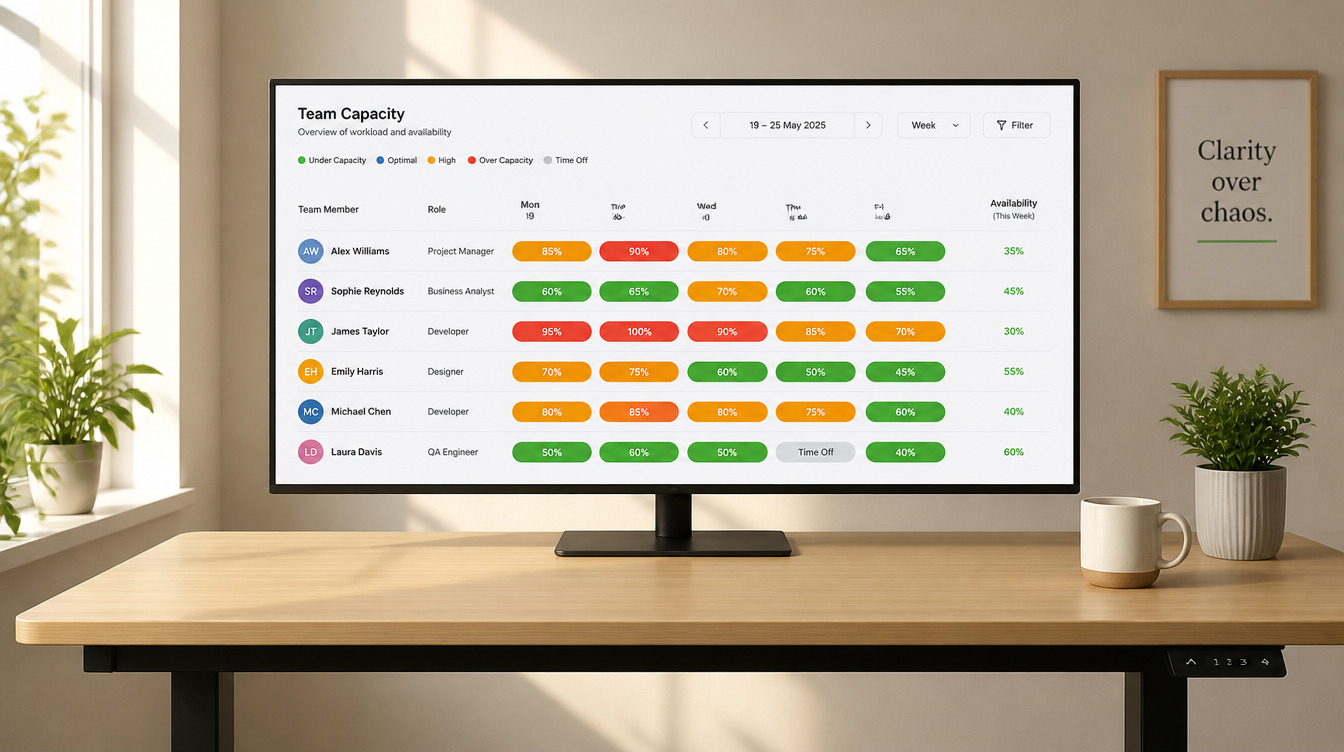
TL;DR
Accounting practice overload is unusual among professional services problems because the workload is almost entirely predictable, which makes an overwhelmed team a planning failure rather than a demand shock. The three pressures worth separating are seasonal concentration, the advisory work that gets displaced whenever compliance surges, and the invisible load carried by whoever reviews everyone else's files. This article covers how to model each of those before the season arrives, and what workflow scheduling software needs to show you for the modeling to hold.
There is something distinctive about workload in an accounting practice. You know almost all of it in advance.
The lodgement calendar does not surprise anyone. Client obligations recur annually. The list of returns due in a given window was knowable twelve months earlier, and in most cases so was the approximate effort each would take, because the same client filed the same shape of return last year.
That predictability changes what burnout means here. In a practice, a punishing month often follows from a pitch nobody expected to win. In practice, a punishing month usually follows from a season everyone saw coming and nobody modeled.
This is genuinely good news, because a predictable problem is a solvable one. The obstacle is rarely that a practice cannot forecast its workload. It is that the forecast lives in the managing partner's head, or in a spreadsheet built each January and abandoned by March, and it cannot be interrogated by anyone else.
Three distinct pressures sit underneath the general sense of being stretched, and they need separating before any of them can be addressed.
The first is the obvious one. A high proportion of the year's compliance work falls into a limited number of windows, and headcount is flat across all twelve months.
The instinct is to absorb this with hours. Everyone works longer during the peak and recovers afterwards. That works while a practice is small and stops working somewhere in the growth from ten people to thirty, usually without an identifiable moment where it stopped.
What replaces it is flattening the curve, which means moving work out of the peak rather than compressing more into it. Some of this is client-side, such as staging information requests earlier. Some is internal, such as completing preparatory work on predictable clients well ahead of the deadline window.
Neither is possible without seeing the shape of the curve first. Capacity planning provides that view, showing staff availability across a visual timeline with over-allocation and idle time surfaced, and longer term workload patterns that inform hiring decisions.
The useful exercise is not looking at next week. It is looking at the peak window from three months out and asking what could be moved into the trough that precedes it. That question only has an answer while there is still time to act on it.
A capacity model built on estimated effort is a guess with a chart attached. Built on last year's actual hours by job type, it is a forecast.
This is where consistent job structure pays off. Where recurring compliance work runs from job templates that pre-configure phases, tasks, milestones, staff assignments and estimated hours, each cycle produces comparable data against the same structure. Last year's actuals become this year's estimates, refined annually.
Practices that rebuild each job from scratch every cycle never accumulate that history, and their capacity model stays a guess indefinitely.
The second pressure is less visible and more damaging to a growing practice.
Advisory and consulting work rarely has a statutory deadline. Compliance always does. When the two compete for the same person in the same week, compliance wins every time, and it is correct that it does.
The cumulative effect is that advisory work slips repeatedly, and the practice's most strategically valuable service line is the one that absorbs every scheduling shock. Clients notice. So do the staff who were hired to do advisory work and spend three months a year not doing it.
Protecting advisory bandwidth is a scheduling decision made before the season, not a resolution made during it. In practice it means allocating specific people to specific advisory commitments in the plan, and treating that allocation as fixed rather than as the flexible portion.
The alternative framing is worth stating plainly. If advisory time is whatever remains after compliance, then advisory capacity is zero during every peak, and the practice should plan on that basis rather than promising clients otherwise.
The third pressure is the one most capacity models miss entirely, and it is frequently the actual bottleneck.
Preparation work can be distributed across a team. Review usually cannot, because it concentrates on a small number of senior people who are qualified to sign off. A practice can add three preparers and find that nothing moves faster, because everything still queues behind the same two reviewers.
Two things follow for how you plan.
Review time has to appear in the capacity model as scheduled work rather than as something senior staff fit around their other commitments. If it is not in the plan, it is invisible, and the plan will show a partner with available capacity who is in fact fully committed.
And review load has to be visible enough to be redistributed. Timesheet approvals allow approvers to be assigned to specific staff, with notifications on submission or a daily digest of what is pending. The assignment structure is where review load is either balanced or quietly concentrated on whoever is most conscientious about clearing their queue.
For a practice with people across multiple offices, working remotely, or spread across time zones, two problems compound.
Informal load balancing stops working. In a single office, an experienced manager notices who looks overwhelmed and moves work around. Distributed, that signal disappears, and the first indication of overload is often a missed deadline or a resignation.
And people become invisible in both directions. Someone genuinely underused is as hard to spot as someone drowning, which means a practice can be simultaneously over capacity in one location and idle in another.
The response is that allocation has to be explicit rather than observed. A shared view of who is committed to what, visible to everyone rather than held by one person, is the only substitute for the social signals a distributed team no longer has.
A capacity plan that does not know who is away will be wrong in exactly the weeks it matters most.
Leave management keeps requests, approvals and capacity in sync, with approvers seeing what needs actioning in one place. Requests flow into the capacity plan and approvals create the corresponding timesheet entries without separate admin.
For burnout specifically, this has a second function. A practice that can see who has not taken leave in an extended period has a leading indicator, and it is available before anything visible goes wrong.
Three things determine whether a capacity planning implementation holds beyond the first quarter.
The framing that makes this work is not that capacity planning protects your team, although it does.
It is that capacity planning changes what your practice is willing to commit to. A firm without a forward view says yes to work and discovers afterwards whether it had the capacity, which transfers the entire consequence of that decision onto the people delivering it. Burnout in a growing practice is very often the accumulated cost of commitments made without visibility.
A firm that can see three months out makes a different kind of decision. It can decline an engagement, delay a start date, or resource up in advance, and each of those is a legitimate business choice rather than an admission of limitation.
The workload was always going to arrive. What changes is whether anyone decides to accept it.
The most useful starting point is the next compliance window, built from last year's actual hours rather than estimates. WorkflowMAX offers a 14 day free trial if you want to set up a capacity view and test it against a season you already know the shape of. If you would rather discuss how to structure recurring jobs so the model improves each cycle, you can book a demo with the team.




